NetScope

Find devices and open ports on your network.

  • Windows 10/11 (x64)
  • v1.0.1
  • 66.5 MB
  • Released 18 Oct 2026
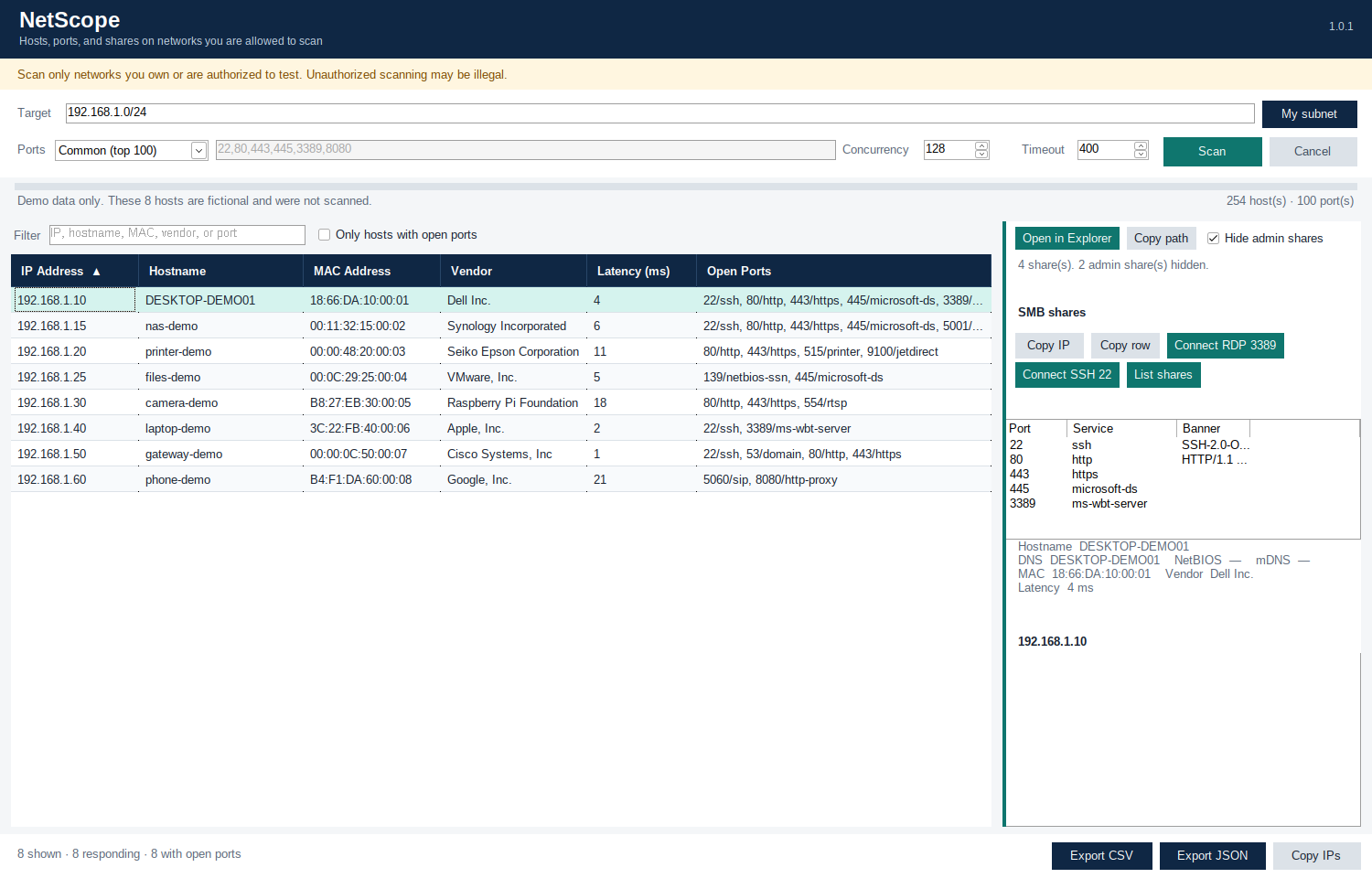
NetScope 1.0.1 main window with results sorted by IP Address, showing columns IP Address, Hostname, MAC Address, Vendor, Latency (ms) and Open Ports for 8 demo hosts, plus a details pane with Connect RDP, Connect SSH and List shares buttons.
Real screenshot of NetScope 1.0.1 showing demo data: the 8 hosts are fictional and were not scanned. It was captured running under Wine, so the fonts look a little different from Windows.

About NetScope

NetScope is a standalone network scanner for Windows. Enter a subnet (CIDR), an IP range, or a single address, and it discovers live hosts, scans their ports and resolves their names.

When a host has the right ports open, you can act on it straight from the results: connect with Remote Desktop or SSH, or browse its file shares.

It’s one self-contained .exe: no installer, and you don’t need to install .NET.

Only scan networks you own or are authorized to scan.

What it does

  • Subnet, IP range, or single address (pre-fills your local subnet)
  • Host discovery via ICMP with TCP fallback
  • ARP/MAC and vendor lookup on the local subnet
  • Default scan of 100 common ports (option for all ports or a custom list)
  • Reverse DNS, NetBIOS, and best-effort mDNS names
  • Sortable results with named columns (IP Address, Hostname, MAC Address, Vendor, Latency (ms), Open Ports): click a header to sort
  • Connect via RDP (mstsc) when port 3389 is open
  • Connect via SSH when port 22 (or an SSH banner) is found
  • List SMB file shares when 445/139 is open, with Open in Explorer and Copy path
  • Export to CSV/JSON; cancelable scans with progress

Built with AI

How it was built

NetScope was built by a Cursor cloud agent (an AI coding agent that works in the cloud) from a short request.

Under the hood

  • .NET 8 with Windows Forms
  • Published as a single self-contained .exe, with no installer
  • 54 unit tests, including CIDR/range parsing, port lists, scanning against a local listener, RDP/SSH command lines, and SMB share filtering

Changelog

1.0.1 (18 Oct 2026)

  • Named column headers in the results: IP Address, Hostname, MAC Address, Vendor, Latency (ms), Open Ports
  • Click a column header to sort
  • CSV and JSON exports use the same column names
  • New screenshot
  • 54 unit tests (up from 53)

1.0.0 (18 Oct 2026)

  • First release.